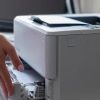
It’s Monday morning and there is an alert of a paper jam on your machine but you can’t get rid of the message – it is clear that you need a service call. What do you need to do next? In this edition of HQ’s How To’s we will show you all the information you should have in order to place a quick service call.
Step 1: Gather information If you are on Copier Headquarters service,you should have sticker on your machine with the below information. If there is not a sticker on your machine, you should have
- Your company name
- The point of contact on site and the best number to reach them
- The machine model and serial number
- A description of the problem
Step 2: Contact Copier Headquarters in the medium that is easiest to you
- Call our office 818-874-1200 or 805-532-9977. We have a live and local team member answer the phone to provide the best service possible. No hold music, no time difference, just our team
- E-mail service@chqs.com and expect a response within an hour
- Use our chat feature below and talk to a CHQS who can submit your request for you
- Our Twitter @chqsinc and Facebook accounts are monitored 24/7. Leave us a tweet or a comment and we will respond within the hour as well
Step 3: Relax and let Copier Headquarters get you back to running at the speed of business